How Studios Use AI Tools to Scale Game Art Production Fast
Imagine this: A game studio needs hundreds of slot symbols, backgrounds, and animations delivered within a tight deadline. Traditionally, outsourcing partners would dedicate weeks of manual effort, with artists painstakingly handling repetitive tasks. But today, with the rise of AI-assisted workflows, game art outsourcing studios can deliver faster, smarter, and at higher quality—without losing the creative touch that makes game art shine.
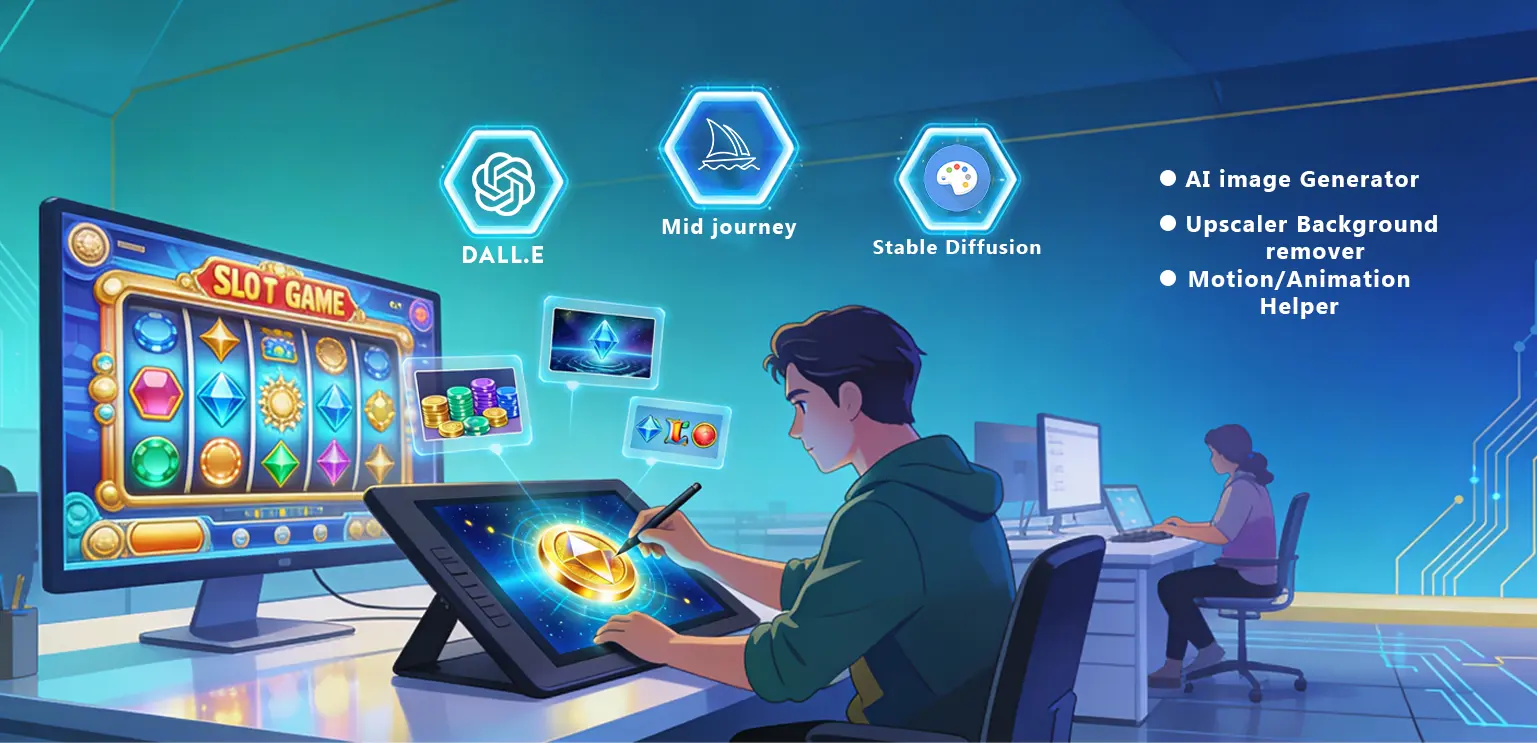
The real question isn’t about whether AI should be used—it’s about how to weave it seamlessly into a studio’s workflow. More and more outsourcing companies are experimenting with AI-driven pipelines, discovering both exciting advantages and potential pitfalls. In this journey, creative partners like Gamix Labs focus on finding the sweet spot—where efficiency meets artistry, and technology enhances, rather than replaces, human creativity.
Why AI Workflows Matter in Game Art Outsourcing
Outsourcing studios exist to provide scalable, cost-effective, and high-quality art production for game developers. Deadlines are tight, and projects often involve repetitive tasks like resizing assets, cleaning backgrounds, or generating multiple design variations.
AI workflows matter because they:
- Speed up production by automating routine tasks like background cleanup and color correction
- Reduce costs by delivering more assets with fewer manual hours
- Boost creativity by freeing artists to focus on storytelling and polish
- Improve scalability by handling bulk asset requests efficiently
For studios like Gamix Labs, AI isn’t about replacing artists—it’s about empowering them to deliver faster, better, and more creatively.
Core AI Tools in Professional Art Pipelines
When analyzing top competitors writing about AI in art pipelines, most focus only on AI image generators like MidJourney or Stable Diffusion. But a professional outsourcing workflow involves more than image prompts. Here are tools studios actually integrate:
- AI Image Generators (Stable Diffusion, MidJourney, DALL·E): Great for quickly exploring concepts and generating multiple variations.
- AI Upscaling Tools (Topaz Gigapixel, ESRGAN): Useful for boosting resolution in concept art or refining low-quality references into production-ready assets.
- AI Cleanup Tools (Photoshop Generative Fill, Remove.bg): For background removal, asset isolation, or quick adjustments.
- Style Transfer Models: To apply a consistent art direction across different assets.
- Pose & Animation AI (Cascadeur, DeepMotion): For speeding up character animation drafts.
A successful workflow uses these tools not as shortcuts, but as assistants within a human-driven process.
Designing an AI-Driven Game Art Workflow
🔹 Step 1: Briefing & Concept Exploration
Clients provide references and goals.
AI generates multiple concept variations in minutes.
Human artists curate, refine, and align visuals with the brand.
🔹 Step 2: Asset Generation & Cleanup
AI creates rough drafts and textures.
Photoshop AI cleans edges, extends backgrounds, and fills gaps.
Artists ensure visual clarity and quality.
🔹 Step 3: Style & Theme Alignment
Style transfer tools enforce consistency.
Art directors guide outputs to avoid style drift.
🔹 Step 4: Upscaling & Optimization
AI upscalers enhance resolution for HD and 4K displays.
Artists manually refine details for authenticity.
🔹 Step 5: Animation & Motion Drafts
Pose AI and auto-rigging create rough motion.
Animators refine curves, timing, and physics.
🔹 Step 6: Final Human Polish
Artists add emotion, storytelling, and uniqueness.
QA checks originality, consistency, and client safety.
Benefits of AI in Outsourced Game Art
AI-powered workflows help studios achieve:
- 30–50% faster delivery
- Cost-efficient production
- Greater creative variety
- Mass scalability for slot games
- Baseline consistency with human finesse
At Gamix Labs, these workflows allow us to deliver casino game art, from reels to parallax backgrounds, at scale without compromising creativity.
Challenges & Real-World Risks
Many articles ignore these realities:
- Style drift without human control
- Plagiarism risks from unfiltered AI outputs
- Soulless visuals from over-automation
- Client trust concerns
- Poor tool integration into real pipelines
This is why workflow design matters more than tools.
The Balanced Future: Human + AI Collaboration
AI delivers:
- Speed
- Variations
- Efficiency
Humans deliver:
- Creativity
- Emotion
- Storytelling
At Gamix Labs, AI handles repetition—artists handle the soul.
Conclusion
Building AI workflows for game art outsourcing isn’t about replacing people—it’s about balance. AI streamlines time-consuming tasks and scales production, while human artists infuse the work with originality and heart.
Outsourcing partners who master this blend will lead the future of game art—delivering not just faster, but smarter and more engaging assets.
FAQs
In what ways are AI workflows applied within game art outsourcing studios?
AI assists in concept generation, background cleanup, upscaling, and animation drafts, while human artists refine and finalize assets.
Can AI completely replace game artists?
No. AI accelerates repetitive tasks, but human creativity, storytelling, and final polish remain irreplaceable.
Which AI tools bring the most value to game art pipelines?
Stable Diffusion, MidJourney, Photoshop Generative Fill, Topaz Gigapixel, and animation AI tools like Cascadeur.
How do studios prevent plagiarism when using AI art?
Through strict QA checks, original references, and human refinement of every AI-generated asset.
Why choose AI-driven game art outsourcing studios?
They provide faster delivery, scalable production, creative flexibility, and cost efficiency without sacrificing originality.