How Game Studios Optimize Games for Low-End Devices
A game can look impressive on a high-end PC or modern smartphone and still perform poorly on older or budget devices. For game studios, this creates an important development challenge: how do you maintain visual quality and gameplay while ensuring the game remains responsive on lower-powered hardware?
This matters particularly for mobile and browser-based games, where players may use devices with limited RAM, slower processors, weaker GPUs, smaller storage capacity, or inconsistent network connections.
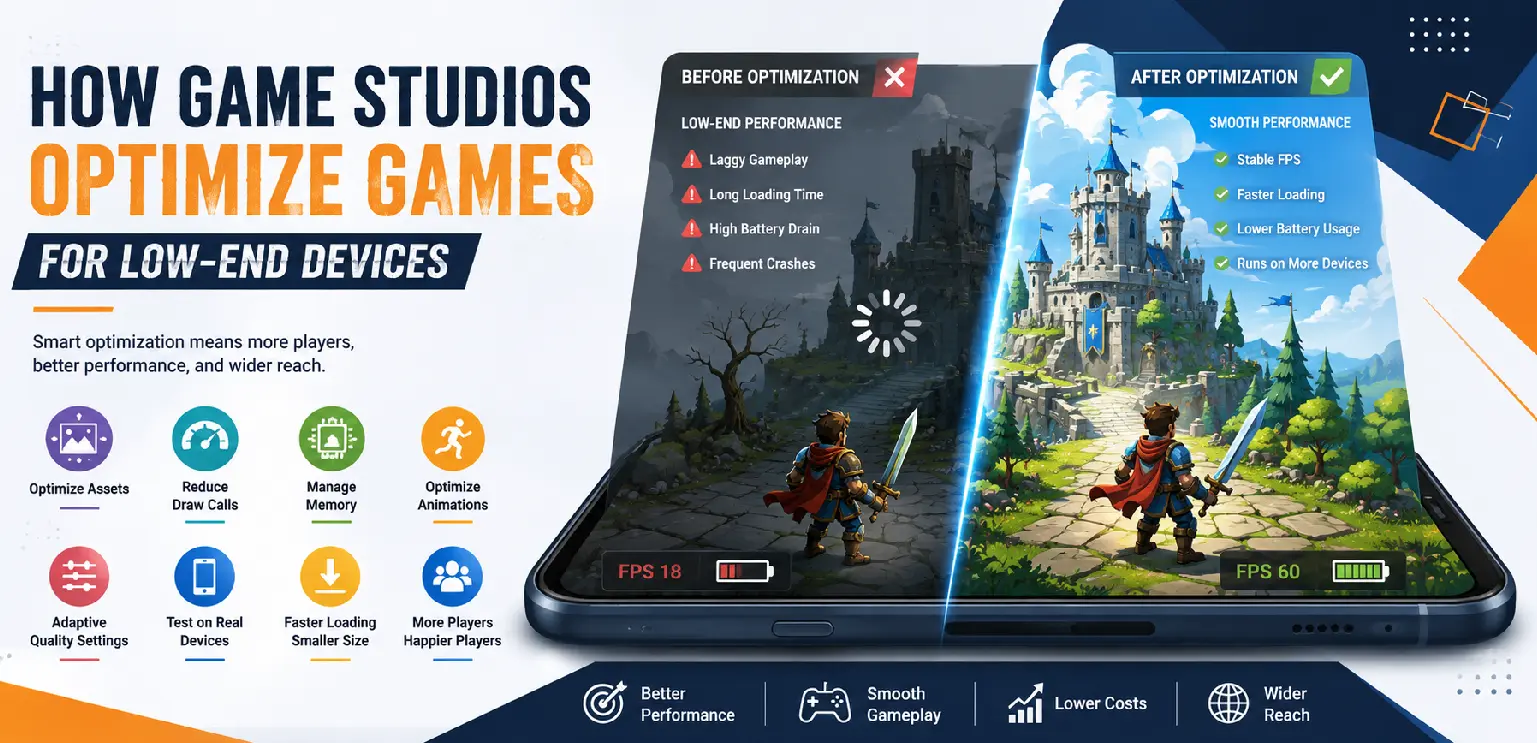
Game optimization is therefore not simply about making a game "run faster." It is about making thoughtful technical decisions throughout development so that graphics, animation, code, memory usage, loading times, and network communication work efficiently together.
For studios targeting a broad player base, optimizing for low-end devices can expand accessibility without requiring the game to look outdated or overly simple.
This guide explains how modern game studios approach optimization for low-end hardware, which areas require the most attention, and how testing helps ensure performance remains consistent across different devices.
What Is Low-End Device Optimization?
Low-end device optimization is the process of reducing unnecessary demands on hardware while preserving the intended gameplay experience. A lower-powered device may have:
- Less RAM available for applications.
- A slower CPU.
- A less capable GPU.
- Limited storage speed.
- Lower network performance.
- Reduced thermal capacity.
These limitations can affect loading speed, frame rates, animations, responsiveness, and overall stability.
The objective is not necessarily to make every device perform identically. Instead, studios establish acceptable performance targets and design the game so it can operate reliably within those limits.
Why Optimization Should Start Early
One of the biggest optimization mistakes is waiting until the game is finished. When performance problems are discovered near launch, fixing them can require substantial rework.
For example, if a game uses oversized textures throughout its production pipeline, reducing their resolution at the end may require artists to revisit many assets. Similarly, if the game's architecture creates unnecessary memory usage, fixing the underlying problem after multiple systems have been built on top of it can be complicated.
Early optimization allows studios to make better technical decisions before problems become deeply embedded in production. A practical workflow is:
Planning → Prototyping → Profiling → Optimization → Testing → Re-profiling
Optimization is therefore an ongoing process rather than a final polishing step.
1. Optimizing Game Assets
Game assets can have a major impact on performance, especially in visually rich games. Large textures, excessive animation frames, high-resolution backgrounds, and unnecessary graphical elements can increase memory consumption and loading times. Studios commonly optimize assets by:
- Reducing unnecessary texture resolution: An asset does not always need an extremely large texture if it appears relatively small on the screen.
- Compressing textures appropriately: Efficient compression can reduce file size and memory requirements while maintaining acceptable visual quality.
- Removing unused assets: Files that are never displayed should not unnecessarily increase the game's package size or memory footprint.
- Creating platform-specific versions: Different devices may require different asset resolutions or quality levels.
Good asset optimization is about finding the right balance between visual quality and technical efficiency.
2. Managing Texture Memory
Texture memory becomes particularly important when games contain many detailed visual assets. A game may appear to contain hundreds of individual images, but many of them can be organized more efficiently. One technique is texture atlasing, where multiple smaller images are combined into a larger texture. This can reduce the number of texture changes required during rendering and may improve performance depending on the engine and rendering architecture. Studios also monitor:
- Texture dimensions.
- Texture formats.
- Compression settings.
- Number of loaded textures.
- Duplicate assets.
- Unused textures remaining in memory.
Efficient texture management can make a noticeable difference on devices with limited memory.
3. Optimizing 2D Art for Performance
Optimization is particularly important for games that use large amounts of 2D artwork. A visually complex slot game, for example, may contain:
- Symbol artwork.
- Characters.
- Backgrounds.
- UI elements.
- Particle effects.
- Win animations.
- Feature animations.
Instead of simply reducing the quality of everything, artists and developers can prioritize assets based on how they are used. For example, important foreground elements may retain greater detail while less noticeable background elements can use lower-resolution resources. This approach preserves the visual identity of the game without placing unnecessary demands on the device.
4. Reducing Draw Calls
Rendering efficiency is another important consideration. A draw call occurs when the CPU instructs the GPU to render a group of graphical elements. Excessive draw calls can create performance bottlenecks, particularly on weaker hardware. Studios may reduce unnecessary draw calls through techniques such as:
- Combining compatible assets.
- Using texture atlases.
- Batching similar objects.
- Reducing unnecessary visual layers.
- Simplifying rendering operations.
The exact optimization strategy depends on the game engine and rendering architecture.
5. Optimizing Animations
Animations can add personality and excitement to a game, but they can also consume significant processing and memory resources. This is particularly relevant to games containing character animation, Spine-based animation, particle effects, or complex win sequences. Studios can improve animation performance by:
- Reducing unnecessary animation complexity: Not every movement requires many individual elements.
- Optimizing skeletal structures: Excessive bones or complicated hierarchies can increase processing requirements.
- Managing animation frequency: Some background animations can run less frequently than important foreground interactions.
- Controlling simultaneous effects: Triggering too many animations and particles at once can create sudden performance spikes.
The objective is to maintain the feeling of responsive, polished animation without rendering unnecessary work.
6. Managing Particle and Visual Effects
Particles are useful for explosions, celebrations, magic effects, coin showers, environmental details, and winning sequences. However, hundreds or thousands of simultaneously rendered particles can quickly affect performance on weaker devices. Studios may optimize effects by:
- Reducing particle counts.
- Shortening particle lifetimes.
- Simplifying particle textures.
- Limiting simultaneous effects.
- Using lightweight alternatives for less important effects.
A well-designed effect does not necessarily need thousands of particles to appear impressive.
7. Controlling CPU Usage
The CPU handles many tasks beyond rendering. Game logic, animation calculations, physics, input processing, network communication, and background systems can all consume processing resources. Developers use profiling tools to identify which systems are consuming the most CPU time. Optimization may involve:
- Reducing unnecessary calculations.
- Running certain processes less frequently.
- Simplifying expensive algorithms.
- Removing redundant logic.
- Improving code efficiency.
Instead of guessing what is slowing down the game, profiling helps developers identify actual bottlenecks.
8. Managing RAM and Memory
Limited memory is one of the biggest challenges on low-end devices. If a game consumes too much memory, it can become unstable, slow down, or even be terminated by the operating system. Developers therefore pay close attention to memory usage throughout production. Important techniques include:
- Unloading assets when they are no longer needed: Keeping unnecessary resources in memory wastes valuable space.
- Avoiding duplicated resources: Multiple copies of the same asset can increase memory usage unnecessarily.
- Monitoring memory leaks: Objects that remain in memory after they are no longer needed can gradually degrade performance.
- Loading resources progressively: Not every asset needs to be loaded at startup.
Effective memory management is particularly important for long gameplay sessions.
9. Improving Loading Times
Players are less likely to wait patiently for a game that takes too long to load. Studios therefore optimize both the size and loading order of game resources. Common techniques include:
- Compressing assets.
- Removing unnecessary files.
- Loading essential resources first.
- Loading secondary resources when required.
- Splitting large packages into smaller components.
- Caching frequently used resources.
For browser-based games, efficient loading is particularly important because players may access the game through varying network conditions.
10. Optimizing Network Usage
Performance is not only about CPU and GPU resources. Network conditions can also affect the perceived responsiveness of a game. Players may have:
- Slow mobile connections.
- High latency.
- Unstable Wi-Fi.
- Limited data plans.
Studios can reduce network requirements by optimizing asset delivery and minimizing unnecessary communication between the client and backend. For online casino games, network reliability is especially important because gameplay, player sessions, wallet information, and game results may involve communication with backend systems.
11. Designing Adaptive Quality Settings
One of the most effective approaches is to allow the game to adapt to the device. Instead of forcing every device to use the same graphical settings, developers can create different quality levels. For example:
🔹 High Quality
Designed for more capable hardware with:
- Higher-resolution assets.
- More visual effects.
- Greater animation detail.
- Additional environmental effects.
🔹 Medium Quality
Balances visual quality and performance for mainstream devices.
🔹 Low Quality
Prioritizes responsiveness by reducing:
- Texture resolution.
- Particle density.
- Background effects.
- Animation complexity.
This allows a single game to reach a wider range of hardware without forcing every player into the same performance profile.
12. Testing on Real Low-End Devices
Optimization cannot be validated accurately using only high-end development machines. A game may run perfectly on a powerful workstation but struggle on a budget smartphone. Studios therefore test representative hardware throughout production. Testing should cover:
- Older supported devices.
- Budget smartphones.
- Different RAM configurations.
- Different GPU capabilities.
- Multiple browsers.
- Different screen resolutions.
- Real network conditions.
Testing on actual hardware reveals problems that may not appear in a development environment.
13. Profiling Instead of Guessing
Optimization becomes much more effective when developers use profiling tools. Profiles can reveal:
- CPU bottlenecks.
- GPU workload.
- Memory consumption.
- Rendering performance.
- Frame-time spikes.
- Loading bottlenecks.
A useful optimization cycle is:
Measure → Identify → Optimize → Test → Measure Again
This prevents developers from spending time optimizing areas that are not actually causing performance problems.
14. Maintaining Visual Quality While Optimizing
Optimization does not mean making the game look as simple as possible. The strongest approach is selective optimization. Studios identify which visual elements players notice most and protect those elements while reducing unnecessary technical overhead elsewhere. For example:
- Main character artwork can remain detailed while distant background elements are simplified.
- Important win animations can receive more processing resources than decorative effects.
- Frequently used UI elements can be optimized heavily because they appear throughout gameplay.
- Background particles can be reduced without significantly affecting the core visual experience.
This approach allows studios to maintain a premium appearance while improving technical performance.
Common Optimization Mistakes
Optimization itself can create problems when performed without a structured approach.
🔹 Optimizing Too Late
Waiting until the final production stage often results in expensive rework and rushed compromises.
🔹 Optimizing Without Measuring
Developers may spend significant time improving systems that were never major performance bottlenecks.
🔹 Removing Too Much Visual Detail
Over-optimization can make a game look noticeably worse without providing meaningful performance improvements.
🔹 Testing Only on High-End Hardware
A game that performs well on development machines may still struggle on the hardware used by the target audience.
🔹 Ignoring Memory
A game can have a reasonable frame rate while still suffering from excessive memory consumption and instability.
How Game Studios Build an Optimization Strategy
A strong optimization strategy begins with clear performance targets. Before production, teams should define:
- Target devices: Which minimum hardware should the game support?
- Performance targets: What frame rate and loading time are considered acceptable?
- Memory limits: How much memory should the game use under normal conditions?
- Asset budgets: How large can textures, animations, audio, and other resources become?
- Testing requirements: Which browsers, operating systems, and physical devices need to be tested?
These targets give artists, designers, and developers practical boundaries during production.
Optimization Is a Team Effort
Performance is not solely a programmer's responsibility. Artists, animators, designers, technical artists, and developers all influence the final performance of a game. For example:
- Artists determine texture dimensions and asset complexity.
- Animators influence animation and skeletal complexity.
- Designers determine how many effects can appear simultaneously.
- Developers control rendering, memory, and game logic.
- Technical artists help translate visual requirements into efficient assets.
When these teams collaborate early, optimization becomes part of production rather than a last-minute technical correction.
How Gamix Labs Supports Performance-Focused Game Production
At Gamix Labs, performance considerations can be incorporated into the production process across 2D game art, animation, UI/UX, and game development. For slot and browser-based games, this can involve preparing production-ready assets, optimizing animations, building responsive interfaces, and developing games with the target platform and device environment in mind. The production approach can include:
- Optimized 2D game assets: Artwork is prepared with appropriate dimensions, formats, and technical requirements rather than treating visual quality and performance as separate concerns.
- Efficient animation: Spine and other animation workflows can be structured to balance visual detail with runtime performance.
- Responsive UI/UX: Interfaces are designed to remain clear and usable across different screen sizes.
- Engine-ready development: Game assets and implementations can be prepared for environments such as HTML5, Cocos Creator, PixiJS, Unity, and Unreal, depending on project requirements.
- Performance-focused testing: Testing across representative environments helps identify compatibility and performance issues before delivery.
This type of cross-disciplinary approach is especially useful when a game needs to maintain a polished visual identity while supporting a broad range of devices.
Conclusion
Optimizing games for low-end devices is not about simply reducing graphics quality. It is about making intelligent technical and creative decisions that allow the game to deliver a consistent experience within the limitations of different hardware. Texture memory, draw calls, animation complexity, CPU usage, RAM consumption, loading times, network requirements, and visual effects can all influence performance.
The most effective studios address these factors throughout development rather than waiting until the final stage. They establish performance targets, profile real bottlenecks, test on representative hardware, and work collaboratively across art, animation, design, and engineering teams.
For mobile and browser-based games, this approach can make the difference between a game that works for only a narrow group of devices and one that provides a reliable experience to a much broader audience.
Ultimately, good optimization is invisible to the player. They simply experience a game that loads quickly, responds smoothly, looks polished, and continues working reliably on the device they use.
Frequently Asked Questions
How do game studios optimize games for low-end devices?
Studios optimize low-end performance by reducing unnecessary asset and memory usage, improving rendering efficiency, simplifying expensive effects, optimizing code, managing loading processes, and testing on representative lower-powered hardware.
What affects game performance the most?
Performance can be affected by many factors, including CPU workload, GPU rendering, memory usage, texture size, draw calls, animation complexity, particle effects, loading operations, and network communication.
Should developers reduce graphics quality for low-end devices?
Not necessarily. Developers can use adaptive quality settings and selective optimization to reduce technical workload while preserving important visual elements and the game's overall art direction.
Why is testing on low-end devices important?
High-end development machines can hide performance problems. Real low-end devices reveal limitations involving memory, processing power, GPU performance, loading speed, and thermal behavior.
When should game optimization begin?
Optimization should begin during planning and prototyping rather than being left until the end of development. Early technical decisions can prevent expensive performance problems later.
How can artists help optimize game performance?
Artists can optimize texture dimensions, file formats, animation complexity, asset counts, and visual effects. Collaboration with developers and technical artists helps ensure assets meet both artistic and performance requirements.
Does optimization reduce visual quality?
It can if performed poorly, but effective optimization focuses on removing unnecessary technical overhead while preserving the visual elements that matter most to the player.