PixiJS vs Other 2D Game Rendering Approaches
Choosing a rendering technology is one of the decisions that can shape an entire 2D game project. The renderer affects how efficiently a game draws sprites, handles animation, manages visual effects, uses device resources, and scales across different screen sizes.
For browser-based 2D games, developers have several options. They can use the traditional HTML5 Canvas 2D API, work directly with WebGL or WebGPU, build interfaces with DOM and CSS, use a rendering library such as PixiJS, or choose a complete game engine that provides rendering alongside many other development tools.
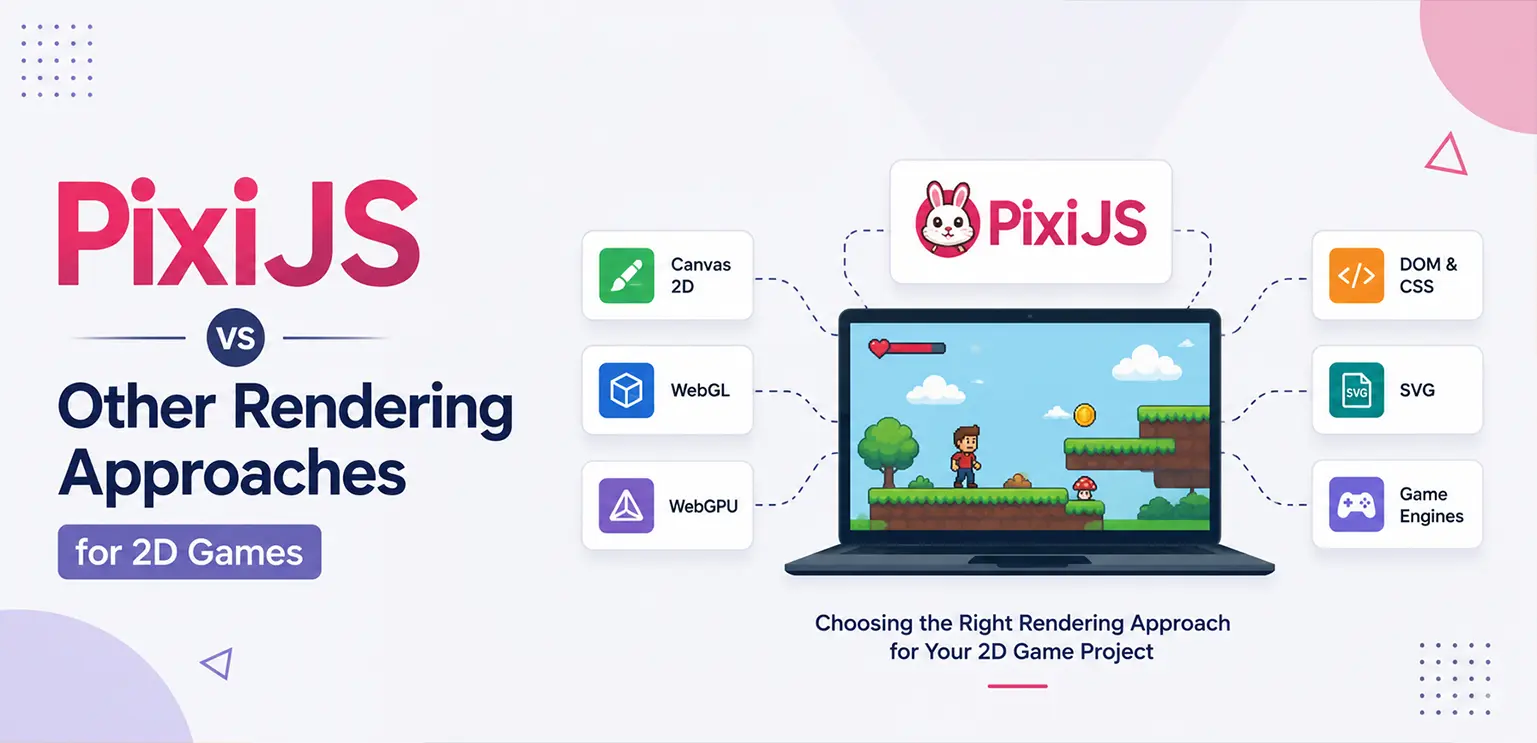
These approaches overlap in some areas, but they are designed for different levels of control and different types of projects.
PixiJS sits somewhere between a low-level graphics API and a complete game engine. It provides a high-performance 2D rendering layer while leaving much of the game's architecture, gameplay logic, asset pipeline, and project structure in the developer's hands.
That makes it particularly interesting for teams building browser-based games, interactive experiences, casino games, slot games, advertising games, and other graphics-heavy 2D applications.
🔹 What Is PixiJS?
PixiJS is a JavaScript/TypeScript rendering library designed primarily for fast 2D graphics in the browser. Instead of requiring developers to manually manage every low-level rendering operation, PixiJS provides abstractions for common 2D graphics tasks such as sprites, textures, containers, filters, text, masks, and animations. Simultaneously, it does not attempt to be a complete game engine.
This distinction is important.
A game engine typically provides systems for gameplay, physics, scenes, input, audio, animation, scripting, asset management, debugging, and other parts of development. PixiJS focuses much more heavily on the rendering layer.
This gives developers greater freedom to design their own architecture while avoiding the complexity of implementing a complete rendering pipeline from scratch.
🔹 Why Rendering Technology Matters in 2D Games
Rendering is responsible for turning game data into the visual output players see on the screen. Every frame may involve drawing backgrounds, characters, UI elements, particles, effects, text, animations, and other objects. As visual complexity increases, inefficient rendering can become a performance bottleneck. A good rendering approach should therefore provide a practical balance between:
- Rendering performance: The system should be capable of displaying the required number of objects and visual effects without unnecessary overhead.
- Development flexibility: Developers should be able to structure scenes, assets, animations, and interactions according to the needs of the project.
- Browser compatibility: Web games need to work across different browsers, operating systems, GPUs, and device classes.
- Asset management: Modern 2D games often use many textures, sprite sheets, animations, and UI elements, making efficient asset handling important.
- Scalability: The rendering architecture should be able to support different resolutions and device capabilities without requiring an entirely separate implementation.
There is no renderer that automatically wins in every category. The best choice depends on what the game actually needs.
PixiJS vs Canvas 2D
The HTML5 Canvas 2D API is one of the most accessible ways to render graphics in a browser. It provides a straightforward drawing interface for shapes, images, text, paths, and other 2D content. For relatively simple applications, Canvas 2D can be an excellent choice. However, a complex game can place very different demands on the renderer.
🔹 Canvas 2D
Canvas 2D works particularly well for:
- Simple browser games
- Basic interactive graphics
- Lightweight animations
- Drawing applications
- Prototypes
- Small visual experiences
Its biggest advantage is simplicity. A developer can create a canvas element and begin drawing without introducing a large rendering framework. For a game containing a small number of objects and relatively simple visual requirements, that simplicity may be more valuable than the additional abstractions provided by a rendering library.
🔹 Where PixiJS Becomes More Attractive
As a game becomes more visually complex, developers often need to manage many sprites, textures, containers, animations, and effects. PixiJS provides abstractions specifically designed around this type of workload. Instead of repeatedly treating every image as an independent drawing operation, developers can organize visual objects into a structured display tree and take advantage of rendering optimizations provided by the library.
This can make larger 2D projects easier to structure and maintain. The important point is not that Canvas 2D is inherently slow or that PixiJS is always faster. Rather, PixiJS provides a rendering architecture designed for more complex 2D scenes, while Canvas 2D gives developers a lower-level and simpler drawing interface.
PixiJS vs WebGL
WebGL provides developers much more direct access to GPU-accelerated graphics in the browser. It is powerful, but that power comes with additional complexity. Working directly with WebGL can involve managing:
- Shaders
- Buffers
- Textures
- Vertex data
- GPU state
- Rendering pipelines
- Transformations
- Batching
- Resource management
For developers who need very specific rendering behavior, this level of control can be valuable. However, implementing a complete 2D rendering system directly on top of WebGL requires considerable engineering effort. PixiJS can reduce that burden by providing a higher-level 2D rendering abstraction. Developers can work with familiar concepts such as sprites, containers, textures, and filters without having to implement every part of the underlying rendering pipeline themselves.
🔹 The Trade-off
Direct WebGL offers greater low-level control. PixiJS offers a more productive abstraction for teams that primarily need a capable 2D renderer rather than a custom graphics engine. For most standard browser-based 2D games, writing an entire renderer from scratch may not provide enough practical benefit to justify the additional development and maintenance cost.
PixiJS vs WebGPU
WebGPU is a newer browser graphics API designed to provide modern GPU capabilities with a more explicit and flexible architecture than traditional WebGL. It can be highly capable for demanding graphics workloads, but using WebGPU directly also requires deeper graphics programming knowledge.
The comparison with PixiJS is therefore slightly different from the Canvas comparison. PixiJS is a higher-level 2D rendering solution. WebGPU is a lower-level graphics API.
They solve different problems. A team building a specialized rendering system may choose WebGPU because it needs direct control over modern GPU features. A team building a browser-based 2D game may prefer a higher-level rendering library because development speed, maintainability, and common 2D workflows are more important than complete control over the graphics pipeline.
The choice should therefore be based on the project's requirements rather than simply choosing the newest graphics API.
PixiJS vs DOM and CSS
HTML elements and CSS can also be used to create interactive visual experiences. For example, developers can create game-like interfaces using:
- HTML elements
- CSS animations
- CSS transforms
- DOM event handling
- SVG
- Web fonts
This approach can work well for UI-heavy applications.
However, DOM-based rendering can become less convenient when a game contains large numbers of independently animated visual objects. A 2D game might have hundreds of sprites, particles, effects, symbols, backgrounds, and animated elements that need to be updated frequently. Managing all of those elements as DOM nodes can create unnecessary complexity. PixiJS instead uses a graphics-oriented scene structure designed around rendering visual objects.
🔹 When DOM is the better choice
DOM and CSS can still be the right solution when the project is primarily an interface rather than a graphics-heavy game. For example, a menu-driven application with limited animation may benefit from the accessibility, layout capabilities, and mature browser behavior of HTML and CSS. For a visually intensive 2D game, however, a dedicated rendering layer can provide a more appropriate foundation.
PixiJS vs SVG
SVG is another browser-native technology that can render scalable 2D graphics. SVG is particularly useful when graphics need to remain resolution-independent or when individual vector elements need to be manipulated as document objects. It can be a strong choice for:
- Icons
- Diagrams
- Maps
- Data visualizations
- Vector illustrations
- Interface graphics
But games often involve large numbers of frequently changing visual elements. In those situations, a GPU-oriented rendering approach may be more suitable than treating every visual object as part of an SVG document structure. PixiJS is generally more aligned with sprite-based and GPU-accelerated 2D game rendering workflows.
PixiJS vs Full Game Engines
The comparison becomes more interesting when PixiJS is compared with full game engines. Game engines typically provide much more than rendering. Depending on the engine, developers may get integrated systems for:
- Scene management
- Physics
- Input
- Audio
- Animation
- Particles
- Asset management
- Scripting
- Debugging
- Level design
- Build pipelines
PixiJS intentionally provides less. That can sound like a disadvantage, but it can actually be an advantage for certain projects. A team that already has its own game architecture may not need an engine that imposes a complete development workflow. Instead, the team may want a fast rendering layer that can integrate with its existing systems. This is one reason rendering libraries can be attractive for web-focused development.
PixiJS for Browser-Based 2D Games
Browser games have some unique technical requirements. Unlike a native application, a web game must operate inside a browser environment with different devices, browsers, GPUs, screen sizes, memory constraints, and performance characteristics. PixiJS can be useful when a project needs a dedicated 2D rendering layer without adopting a complete engine. Typical use cases include:
- HTML5 games
- Casual browser games
- Slot and casino games
- Interactive advertisements
- Gamified websites
- Educational games
- Interactive visual experiences
- 2D game prototypes
For iGaming projects in particular, the rendering layer may need to work alongside game logic, mathematics, UI systems, backend communication, analytics, and platform-specific SDK integrations. A focused rendering library can fit naturally into that type of architecture.
Rendering Performance Is More Than the Renderer
One of the most important points developers should understand is that choosing a GPU-oriented renderer does not automatically make a game fast. Performance depends on the complete rendering pipeline.
A PixiJS project can still perform poorly if it contains inefficient assets, excessive texture memory usage, unnecessary state changes, poorly optimized animations, or too many visual effects. Several factors matter.
🔹 Texture size and memory
Large textures consume more GPU memory and can increase loading and processing costs. Game art should therefore be created at appropriate resolutions instead of simply using the largest possible source images.
🔹 Draw calls and batching
Rendering many objects can become expensive when they cannot be efficiently grouped into batches. Asset organization, texture usage, blending modes, filters, and other rendering states can influence how efficiently objects are processed.
🔹 Filters and effects
Blur, lighting, masks, displacement, and other effects can look impressive but may introduce additional rendering costs. Visual effects should be evaluated according to their actual impact on the target devices.
🔹 Animation complexity
A scene containing many independently animated objects can place additional demands on both CPU and GPU resources. Animation systems should therefore be designed with the target platform in mind.
PixiJS and Slot Game Development
PixiJS can be particularly relevant to browser-based slot game development. A modern slot game can contain much more than spinning reels. The renderer may need to display:
- Reel symbols
- Background environments
- Character animations
- Win effects
- Symbol transformations
- Multipliers
- Bonus features
- Free-spin animations
- Particle effects
- Counters
- Buttons and interface elements
- Large win sequences
- Mobile and desktop layouts
A dedicated 2D rendering framework can help developers organize these visual elements while keeping the game architecture separate from the rendering layer. For example, game mathematics can determine a winning combination, while the rendering system handles how that result is presented visually.
This separation is useful because game logic and visual presentation have different responsibilities. A mathematically correct slot game still needs an efficient and responsive presentation layer.
Choosing the Right Approach for a 2D Game
There is no universal winner between PixiJS, Canvas 2D, WebGL, WebGPU, DOM, SVG, and full game engines. The right choice depends on project requirements.
| Approach | Best suited for | Main advantage | Main limitation |
|---|---|---|---|
| Canvas 2D | Simple 2D games and prototypes | Easy to use | Less specialized for complex scenes |
| PixiJS | Graphics-heavy browser games | Strong 2D abstraction and flexibility | Requires additional systems for a complete game |
| WebGL | Custom GPU rendering | Low-level control | Higher development complexity |
| WebGPU | Advanced graphics workloads | Modern GPU architecture | More specialized development requirements |
| DOM/CSS | UI-heavy experiences | Excellent web UI integration | Less suited to graphics-heavy scenes |
| SVG | Vector graphics and interfaces | Scalable vector rendering | Can become unsuitable for complex dynamic scenes |
| Full game engine | Larger complete game projects | Integrated development systems | More tooling and architecture than some web projects need |
The goal should not be to select the most technically advanced option. The goal is to select the technology that provides the right level of control and abstraction for the project.
When PixiJS Is a Good Choice
PixiJS can be a strong fit when a project needs a dedicated 2D rendering layer but does not require the complete feature set of a game engine. It is particularly worth considering when:
- The game is browser-first: A web-based project can benefit from a rendering library designed around browser graphics.
- The game is visually intensive: Sprite-heavy scenes, animations, effects, and interactive interfaces can benefit from a specialized 2D renderer.
- The team wants architectural flexibility: Developers can build their own game systems rather than adapting the project to a complete engine architecture.
- Fast development matters: Using an established rendering abstraction can be more efficient than building a renderer directly on top of a low-level graphics API.
- The project needs custom integration: PixiJS can be incorporated into broader JavaScript or TypeScript applications and existing web architectures.
When PixiJS May Not Be the Best Choice
PixiJS is not automatically the right tool for every game. A different approach may be better when the project has requirements outside its primary focus. For example, a large 3D game obviously needs a rendering solution designed for 3D graphics.
Similarly, a project that requires a complete editor-driven development environment, built-in physics, extensive scene tooling, and integrated deployment workflows may be better served by a full game engine.
Canvas 2D can also remain the better option for small projects where simplicity matters more than advanced rendering capabilities.
The important question is not:
“Which technology is the most powerful?”
It is:
“Which technology does the team actually need for the project without adding unnecessary complexity?”
How Teams Should Evaluate a Rendering Technology
Before choosing a rendering approach, development teams should evaluate the project from both technical and production perspectives.
🔹 Start with the target platform
A renderer should be evaluated against the actual devices and browsers the game needs to support. A technology that performs well on a high-end desktop may behave differently on an older mobile device.
🔹 Estimate visual complexity
Think beyond the number of sprites. Consider animations, particles, filters, large textures, UI layers, transitions, and simultaneous effects. This gives the team a better idea of the actual rendering workload.
🔹 Consider the development team
A low-level API can provide significant control, but it also requires specialized knowledge. If the team does not need that control, a higher-level rendering library may provide better development efficiency.
🔹 Test representative scenes
Benchmarking should use real game scenarios rather than an isolated technical demo. A realistic test should include the kinds of assets, animations, effects, and UI elements that the final game will actually use.
🔹 Consider long-term maintenance
The renderer is part of the project's technical foundation. The team should consider how easy it will be to debug, update, optimize, integrate, and maintain the technology over the life of the game.
Performance Should Be Designed Into the Game
Rendering performance should not be treated as a final-stage cleanup task. A game can be visually impressive during early development while quietly accumulating technical problems.
Large textures may become difficult to manage. Animation counts may increase. More particles may be added. New UI layers may appear. Additional bonus features may introduce complex effects.
By launch, these individual decisions can combine into a significant performance problem. A better approach is to establish performance targets early and continuously test against them.
This means profiling representative scenes, monitoring memory usage, checking loading behavior, testing on target devices, and optimizing assets before the project becomes too difficult to change.
PixiJS Is a Rendering Choice, Not a Complete Game Strategy
One common misconception is that selecting a rendering framework automatically determines the quality of the final game.
It does not.
A successful 2D game still depends on the quality of its architecture, art assets, animation, game logic, UI/UX, audio, QA, optimization, and platform integration.
PixiJS can provide a capable rendering foundation, but the rest of the production pipeline still needs to be designed properly. This is particularly important for commercial games where visual quality and technical performance must work together.
For an iGaming project, the rendering layer also needs to coexist with game mathematics, backend communication, platform integration, responsible gaming requirements, testing, and certification workflows.
The renderer is one part of a much larger system.
Final Thoughts
PixiJS occupies an interesting position in the 2D game development ecosystem. Canvas 2D provides simplicity. Direct WebGL or WebGPU provides deeper control. DOM and SVG are powerful for web-native interfaces and vector content. Full game engines provide a much broader development environment.
PixiJS sits between these approaches by providing a focused 2D rendering layer without requiring developers to adopt an entire game engine architecture.
For browser-based games that rely heavily on sprites, animation, effects, and interactive visuals, this balance can be valuable.
But the best rendering technology is ultimately the one that matches the game's requirements, team's expertise, target devices, and long-term production goals.
Rather than choosing a technology because it is popular or technically advanced, teams should benchmark realistic workloads, evaluate development complexity, and consider how the renderer fits into the complete game architecture.
That approach leads to a more practical decision—and usually a better foundation for the game itself.
Frequently Asked Questions
Is PixiJS a game engine?
No. PixiJS is primarily a 2D rendering library. Developers typically combine it with their own logic, input, audio, asset management, and other systems.
Is PixiJS better than Canvas 2D?
Not universally. PixiJS provides a more specialized rendering architecture for complex 2D scenes, while Canvas 2D can be simpler and perfectly adequate for smaller projects.
Is PixiJS faster than WebGL?
The comparison is not quite direct. PixiJS can use GPU-based browser rendering internally, while WebGL is itself a lower-level graphics API. PixiJS provides a higher-level abstraction rather than competing with WebGL at the same level.
Should I use PixiJS or a game engine?
It depends on the project. PixiJS can be attractive when you mainly need a flexible 2D renderer. A full game engine may be more appropriate when you need integrated physics, editors, scene management, audio, animation systems, and other development tools.
Can PixiJS be used for slot games?
Yes. PixiJS can be used as the rendering layer for browser-based slot games, including reels, symbols, animations, UI elements, bonus effects, and other 2D game visuals.
Does PixiJS guarantee good game performance?
No. Performance depends on the complete implementation, including asset sizes, texture usage, batching, animation complexity, effects, memory management, game architecture, and target hardware.