Reducing Unity Build Size for Instant Games
Introduction: Why Build Size Matters More Than Ever
Instant playable games are becoming a powerful acquisition and engagement tool across the gaming industry. These lightweight experiences appear directly inside:
- Ads
- Social media platforms
- Browser previews
- App store demos
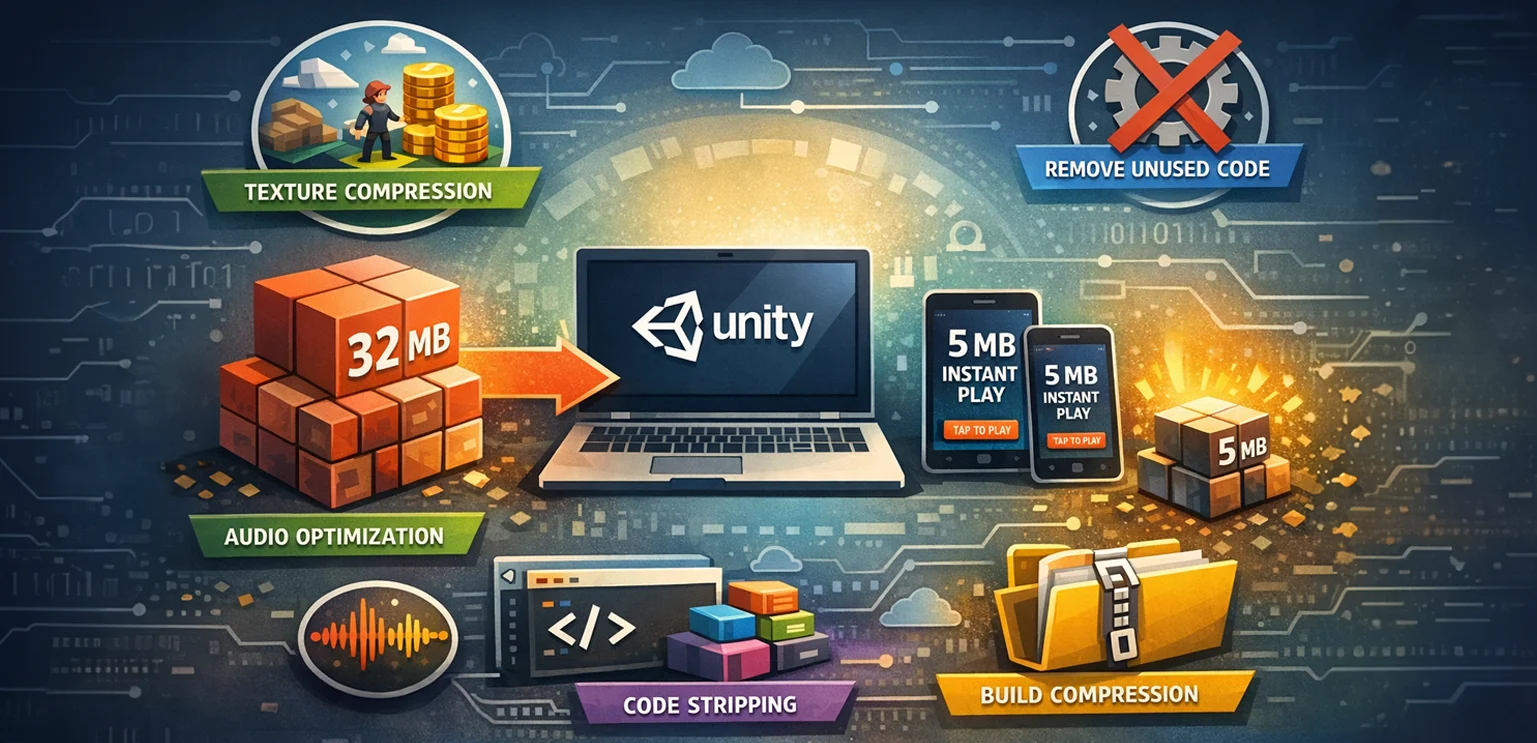
Instead of installing a full game, players can start playing immediately with a small downloadable build. But there's a catch. Most platforms impose strict file size limits. Many instant playable environments require builds under:
- 5 MB
- 10 MB
- 15 MB
For developers using Unity, this creates a significant challenge. Unity is an extremely powerful engine, but that power often comes with large default build sizes. Even a basic Unity project can easily exceed 20 to 30 MB if not optimized carefully. For studios building instant playable games, reducing build size becomes a critical part of the development pipeline.
This guide explores practical techniques and production strategies that experienced developers use to dramatically reduce Unity build size without sacrificing gameplay quality.
The Rise of Instant Playable Games
Instant play experiences are becoming essential in modern game marketing and distribution. Common use cases include:
- Playable ads
- Mini game previews
- Social platform demos
- Browser-based promotional games
These experiences help players test a game before installing it. Benefits include:
- Higher user engagement
- Improved install conversion rates
- Lower acquisition costs
- Better user targeting
However, these platforms impose tight technical constraints. Playable ads platforms such as Meta and Google Ads typically require extremely small build sizes and fast loading times. That means developers must rethink how they approach asset pipelines, code architecture, and compression strategies.
Why Unity Builds Become Large by Default
Understanding why Unity builds grow large helps identify where optimizations should focus. Several factors contribute to inflated build sizes.
🔹 Engine Overhead
Unity includes built-in systems such as:
- Physics engines
- Rendering pipelines
- UI systems
- Audio engines
Even if your game doesn't use all these features, parts of the engine may still be included in the build.
🔹 Asset Bloat
Game projects often accumulate large assets including:
- High-resolution textures
- Large audio files
- Uncompressed sprites
- Unused assets
Without careful management, these files quickly increase build size.
🔹 Unused Code and Libraries
Unity projects often include third-party packages or scripts that introduce additional dependencies. These libraries may add megabytes of unnecessary code.
🔹 Asset Duplication
Poor asset management can cause assets to be included multiple times in different bundles. Reducing build size requires addressing each of these areas systematically.
Key Build Size Targets for Instant Playable Games
While requirements vary by platform, typical targets include:
| Platform | Typical Build Size Limit |
|---|---|
| Meta Playable Ads | 5 to 10 MB |
| Google Play Instant | 10 to 15 MB |
| Web Mini Games | 10 to 20 MB |
Reaching these targets requires careful optimization across the entire project.
Step 1: Use the Right Build Target
The first step is selecting the appropriate Unity build platform. Most instant playable games use:
- WebGL builds
- Lightweight mobile builds
WebGL builds are commonly used for playable ads because they run directly in the browser. However, WebGL builds must be aggressively optimized due to strict size constraints.
Step 2: Remove Unused Engine Modules
Unity allows developers to remove unused modules during build configuration. For example, if your game does not require:
- Physics simulation
- Real-time lighting
- Complex shaders
These systems can often be minimized or disabled. Unity's Managed Code Stripping feature helps remove unused engine code.
🔹 Recommended settings include:
- Medium stripping
- High stripping (when stable)
This step alone can reduce build size by several megabytes.
Step 3: Optimize Textures Aggressively
Textures are often the largest assets in a Unity project. Reducing texture size has the biggest impact on build size. Best practices include:
🔹 Reduce Texture Resolution
For playable games, extremely high resolutions are unnecessary. Examples:
- Replace 2048 textures with 512 or 256 textures
- Use sprite atlases to combine images
🔹 Use Efficient Compression Formats
Unity supports several compression methods:
- ASTC
- ETC2
- DXT
Selecting the correct compression format significantly reduces file size.
🔹 Use Texture Atlases
Sprite atlases combine multiple textures into a single file. Benefits include:
- Fewer draw calls
- Smaller asset sizes
- Improved performance
Step 4: Compress Audio Files
Audio assets are another common source of build bloat. To optimize audio:
- Convert stereo audio to mono when possible
- Reduce sample rates
- Use compressed formats such as OGG Vorbis
Short sound effects can also be reused across multiple interactions. For instant playable games, background music may even be removed entirely if size limits are extremely strict.
Step 5: Reduce Animation Data
Animations can also increase build size. Common strategies include:
- Using fewer animation frames
- Simplifying keyframe data
- Sharing animation rigs across assets
For lightweight games, some animations can even be replaced with simple code-driven transformations.
Step 6: Use Lightweight Rendering Pipelines
Unity's rendering pipelines vary significantly in size and complexity. For instant playable games, developers should avoid heavy pipelines such as HDRP. Instead, use:
- Built-in Render Pipeline
- Universal Render Pipeline (URP) with minimal features enabled
Reducing shader complexity also decreases build size.
Step 7: Eliminate Unused Assets
Unused assets frequently remain inside projects. Unity's Build Report tool helps identify which assets are included in builds. Developers should remove:
- Unused textures
- Unused scripts
- Redundant prefabs
- Old prototype assets
Keeping a clean asset folder significantly reduces final build size.
Step 8: Use Asset Bundles or Addressables Carefully
Asset bundles allow developers to load assets dynamically rather than including them in the base build. For instant playable games, this technique can reduce initial download size. However, asset bundles must be used carefully because:
- Some platforms block external downloads
- Network requests can introduce latency
In many playable ad scenarios, everything must exist within a single compressed package.
Step 9: Optimize Scripts and Code
Code size can also increase builds unnecessarily. Developers should:
- Remove unused scripts
- Avoid heavy libraries
- Eliminate debug logs
Code stripping and IL2CPP optimization settings help remove unnecessary compiled code.
Step 10: Enable Build Compression
Unity provides several compression options. Recommended settings include:
- Gzip compression
- Brotli compression
Brotli often produces smaller files but may increase build time. These compression techniques significantly reduce WebGL build sizes.
Real Example: Optimizing a Playable Ad Prototype
Consider a small puzzle game created for a playable ad campaign.
Initial Unity build size: 32 MB
After optimization:
| Optimization Step | Size Reduction |
|---|---|
| Texture compression | -10 MB |
| Code stripping | -4 MB |
| Audio compression | -3 MB |
| Asset cleanup | -5 MB |
| Build compression | -6 MB |
Final build size: 4 MB
This demonstrates how systematic optimization can reduce builds dramatically.
Art Pipeline Strategies for Lightweight Games
Visual assets are often the largest contributors to build size. Studios that specialize in game art production frequently develop lightweight asset pipelines to support smaller builds. For example, art teams may:
- Design symbols using minimal color palettes
- Reuse animation frameworks
- Create modular UI components
Studios like Gamix Labs, which focus on slot game art production, often apply similar principles when creating mobile-friendly assets and optimized symbol libraries that maintain visual quality while keeping file sizes manageable.
This type of production thinking becomes increasingly important for instant play environments.
Common Mistakes Developers Make
Several mistakes frequently prevent developers from achieving small builds.
🔹 Using High-Resolution Art Assets
Many developers import assets designed for full games rather than lightweight demos.
🔹 Including Unused Unity Packages
Unity packages often bring additional dependencies.
🔹 Overusing Complex Shaders
Heavy shader graphs increase both build size and runtime complexity.
🔹 Ignoring Asset Duplication
Multiple copies of the same asset may exist in different folders. Identifying these issues early saves significant time during optimization.
Future Trends in Instant Playable Games
Instant playable experiences will likely become more common as game discovery evolves. Several trends are emerging.
🔹 Interactive Advertising Growth
Playable ads continue to outperform traditional video ads in engagement and conversion.
🔹 Cloud-Based Game Streaming
Streaming technologies may allow larger games to be played instantly without downloads.
🔹 AI-Assisted Asset Compression
AI tools are beginning to assist developers in optimizing textures and audio files. These technologies may make lightweight game production even more efficient.
Conclusion
Reducing Unity build size is essential for instant playable games. While Unity projects often start large, careful optimization across assets, code, and build settings can dramatically shrink the final package.
Developers who focus on:
- Texture optimization
- Code stripping
- Asset compression
- Efficient art pipelines
Can successfully create engaging playable experiences within strict size limits. As instant play platforms continue growing, build size optimization will become an increasingly valuable skill for game studios and development teams.
FAQ: Reducing Unity Build Size
Why are Unity builds so large?
Unity builds include engine systems, assets, scripts, and libraries. Without optimization, unused code and large assets can significantly increase build size.
What is the best compression method for Unity WebGL builds?
Brotli compression typically produces smaller builds than Gzip, though it may increase build processing time.
How can textures be optimized in Unity?
Developers can reduce texture resolution, use compression formats such as ASTC or ETC2, and combine images into sprite atlases.
Can removing unused assets reduce build size?
Yes. Unused textures, scripts, prefabs, and packages often add unnecessary data to builds.
What build size should instant playable games target?
Most platforms require builds between 5 MB and 15 MB, depending on the distribution platform.
Does audio significantly affect Unity build size?
Yes. Large audio files can increase build size quickly. Using compressed formats and lower sample rates helps reduce file size.